
Key takeaways:
- Free AI image creators enable startups to differentiate their websites from overused and generic stock photos. They enable them to create unique visuals tailored to their brand identity.
- The quality of AI-generated images depends heavily on the specificity of the prompts. Character counts on some free tools can be limited, significantly reducing the output’s quality and making it challenging to achieve desired results.
- Among free AI image creators, Microsoft is the best option. It offers a balance of quality and consistency and a generous daily limit of 15 images. ChatGPT provides comparable results but is limited to two images per day.
Free AI image creators can be a gamechanger for your content
Since every visual on new websites looks like it comes from the same photographer, it is time for a change. Yes, I am talking about the free stock photos from Unsplash. New start-ups rarely have money to spend on new tools and, therefore, prioritise their resources hard.
They take what they can get for free, grateful for the opportunity. However, this leads to many websites looking identical. They have a white background, use the font “Times New Roman,” and are decorated with free pictures from Unsplash.
As good as Unsplash is at providing new pictures, it is not enough. To stand out today, you need to not only be an expert in SEO but also memorable.
November 2022 was the time when the world changed forever. The launch of ChatGPT was arguably more significant than the launch of Facebook. The AI race had begun, and more AI chatbots and search engines emerged.
But it was not just a milestone for disruption in search but also a time when startups saw new opportunities to shine.
AI-generated images could make their websites unique. The excitement was big, but the disappointment was even more considerable when the image they created looked like this…
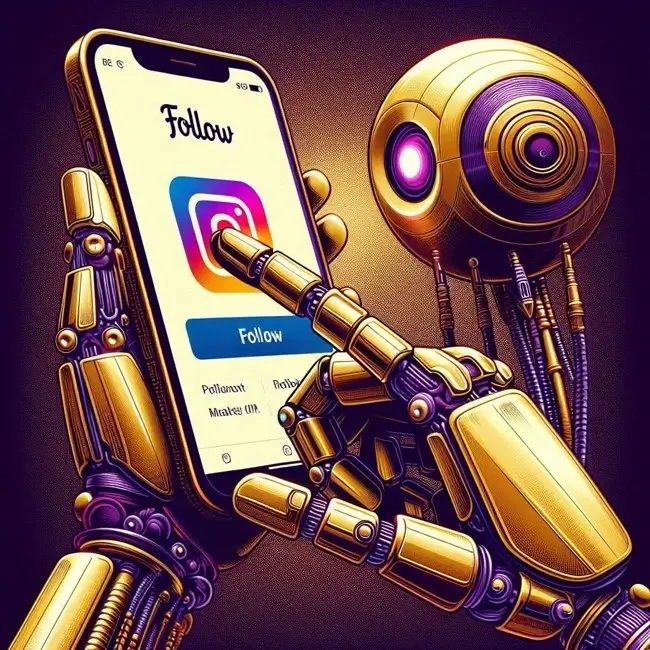
Thankfully, it is possible to create considerably better images using better prompts, but not all AI image generators live up to the expectations, even with a good prompt. It is even more challenging if you don’t have money to pay.
But challenges are what you live for, right? That is why you become an entrepreneur. That drive to make things happen is what sets you apart. To help you, we’ve compiled a comprehensive overview of the best free AI image generators. Now it’s your turn to explore, experiment, and decide which works best for you!
Free AI image creators with limited characters
AI Image creators are constantly getting better, but let’s be clear. Even the best AI image creators will not align with your brand expression unless your prompt is detailed and descriptive.
Unfortunately, some free AI image creators have limitations on how many letters you can use. Therefore, the results will not be as good.
Consequently, as seen in our test results below, we had to take a two-step approach.
- Use a shortened prompt for two tools – Canva and Artbreeder
- Use a more extended prompt for the others.
As you will see, this has an impact on the overall quality.
For those free AI Image creators that have character limitations, we used the following prompt:
Create an image inside a futuristic office. In the middle of the room, a life-like woman should be typing naturally on a computer. The woman should have nice long hair and a suit that fits the modern style. Include realistic, life-like colleagues surrounding her.
The results are shown below.
Canva
Canva’s free version offers 50 credits in total.
The results were not impressive. The woman and her colleagues do not look “life-like” but rather look like cartoons, which is a common challenge with AI-generated images.
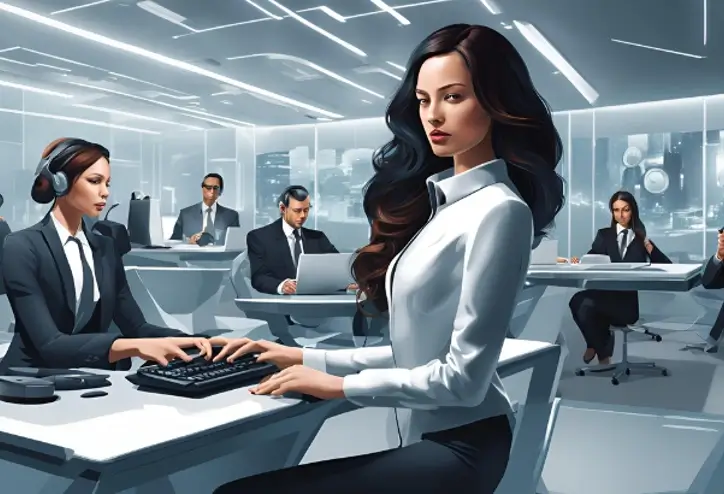
Another common challenge with AI-generated images is that their hands don’t look natural, which is also true for this image.
Moreover, since we had to shorten the prompt, the colours we wanted were left out, and the image came out in different variations of blue. This is another common thing with AI-generated images. They often generate images in blue if you don’t specify the colours you want. In this case, it makes the image look plain and boring.
However, Canva’s paid plan offers many options to customise your design, but since this is a review of their free tool, we haven’t looked into that.
Furthermore, we found the platform less user-friendly and more complicated to navigate than its competitors.
Our verdict: 3/10
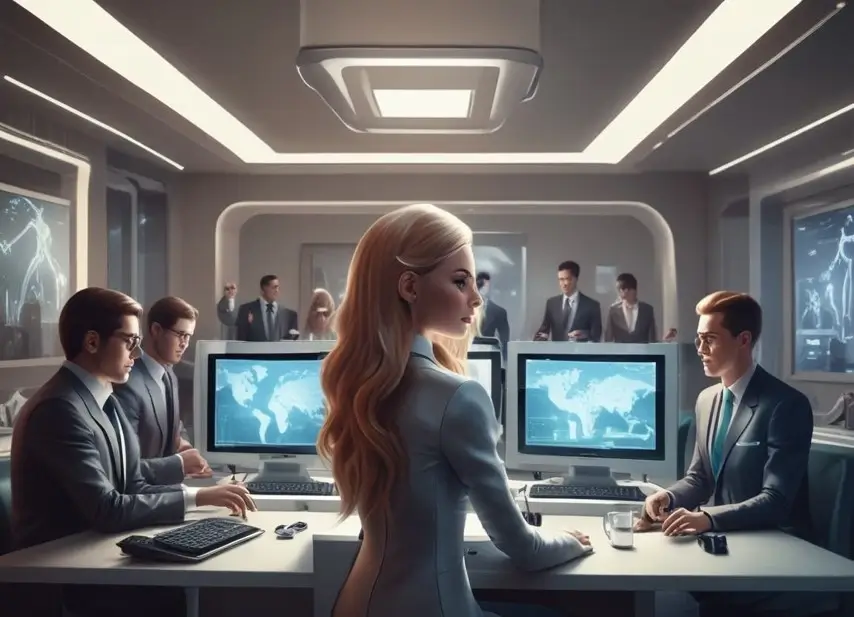
Artbreeder
Artbreeder offers unlimited low-resolution downloads without any monthly restrictions.
The image below contains many of the same issues as Canva’s output. However, Artbreeder does not limit the number of pictures you can create.
Therefore, you might get slightly better outputs if you try several times. However, more detailed prompts are necessary for the results to improve significantly.
Our verdict: 4/10
Free AI image creators with no character limitations
No matter how advanced a free AI image creator may be, the results ultimately depend on the quality of your prompts. The more detailed and descriptive your prompt, the better your chances of getting the image you envision.
Fortunately, many free AI image creators don’t impose character limits, giving you the freedom to craft intricate prompts.
For our testing, we created a highly detailed prompt to push each AI generator to its limits. Here’s what we used:
Create an image inside an office in a futuristic style. It should look like a photo-realistic office in London, with natural lighting coming from the windows. The colours should be dark grey, dark metallic purple and gold. In the middle of the room, a life-like woman should be typing naturally on a computer. The woman should have nice long hair and a suit that fits the modern style. Include realistic life-like colleagues surrounding her. The gold and dark metallic purple must appear sharp and vibrant against the darker background. Make it look like a glossy, magazine-style image in high resolution. Please make the image in at least 600ppi.
Consequently, this level of detail significantly improved the results, though the quality still varied between providers. Some delivered images closer to our vision, while others fell short—but the exercise highlighted the impact of precision in prompting.
Adobe Firefly
Adobe offers five images for free per month.
Since Adobe made Photoshop the industry standard for photo editing, we had high expectations for its free AI image creator. However, we were disappointed when we saw the results.
The picture is blurry; the woman’s hands do not look human, and only one barely visible colleague is in the background. Overall, the image does not look very appealing.
Furthermore, it is the only free image creator that contains a watermark.

Our verdict: 4/10
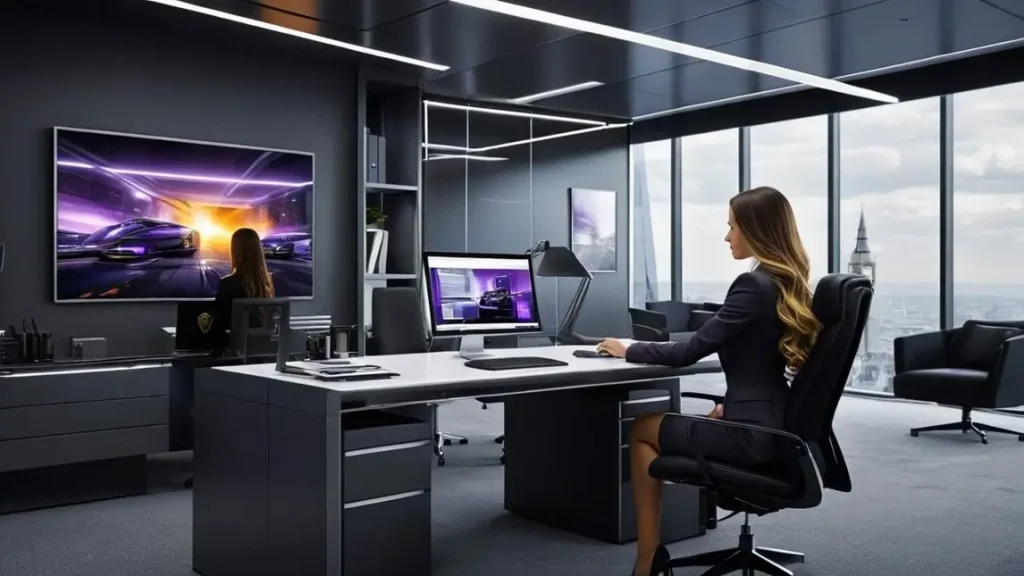
Deep Dream Generator
Deep Dream Generators’ free plan offers three free images per day.
Unfortunately, Deep Dream Generator did not generate a significantly better image than Adobe. Moreover, the woman seems to have one leg. We also did not mention wanting a car on the computer screen.
For the image to be as we wanted, the colours mentioned in the prompt should blend naturally into the picture and not only be present on the computer screens. This image generator was not good at following directions, so we were not impressed.
Our verdict: 4/10
NightCafé Studio
NightCafé Studio offers five free credits per day.
Thankfully, NightCafé Studios’ image generator looked more promising. The woman looked more human-like, and the colours, even though the wrong ones, blended better into the image.
Furthermore, there were still features that we didn’t want, like the green plants and the standard black suit.
We wanted a glossier and clearer picture overall. We, therefore, kept looking.
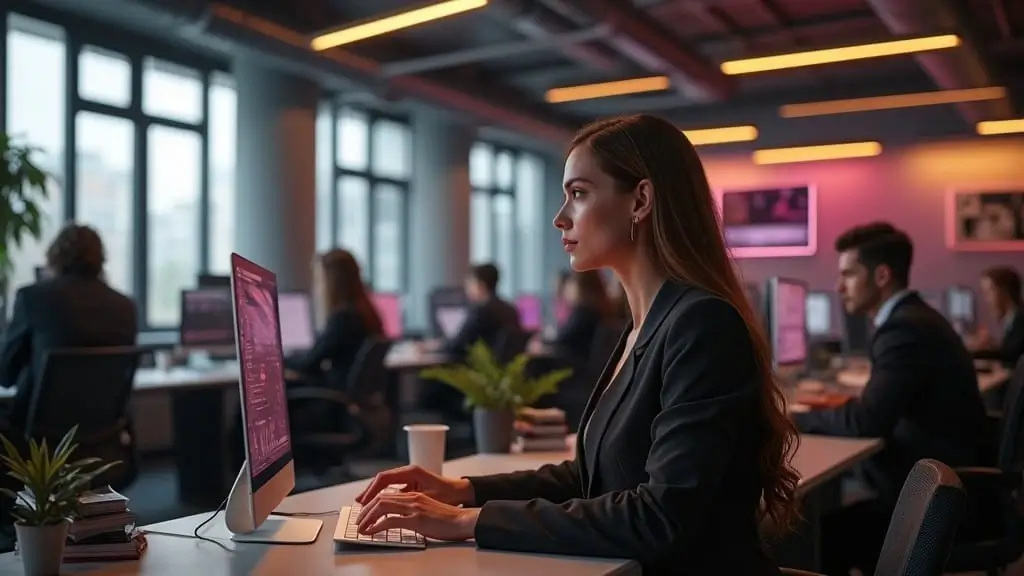
Our verdict: 5/10
Fotor
Their free tier offers three free image generations per day.
Fotor generated the most lifelike woman overall. Even the hands looked like human hands.
However, the colours we requested in the prompt were absent, and the image did not include any colleagues. Therefore, we didn’t get what we requested, so we kept looking.
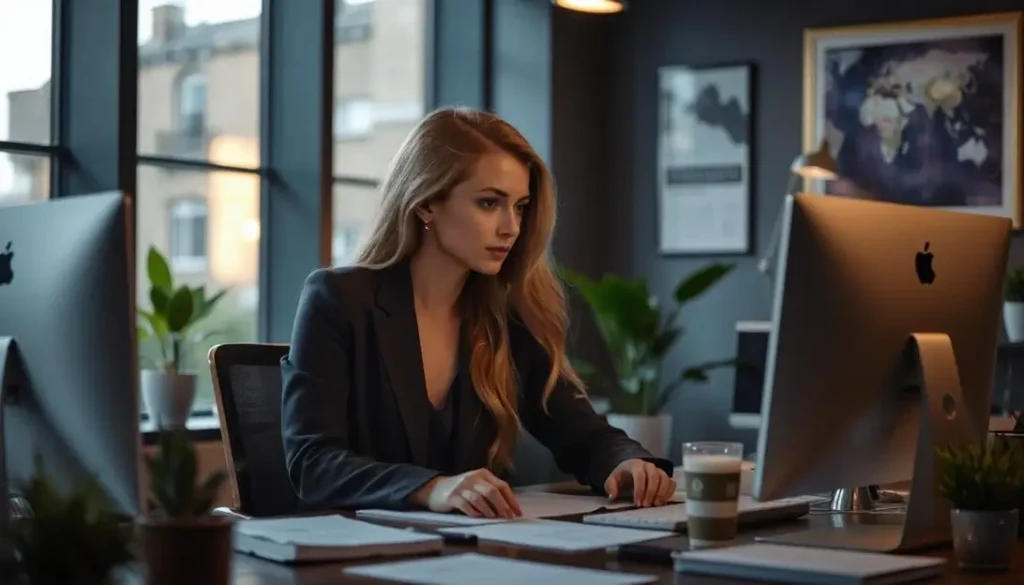
Our verdict: 5/10
Microsoft, the best free AI Image generation
Microsoft offers 15 images for free per day.
This image includes all the requested details. However, it looks considerably less human-like than the image from Fotor. Ideally, we would combine these two images.
However, it looked closer to an actual human than the output from some of the other image generators. Based on all our tests, this is as good as it gets if you use free AI image creators.
Moreover, it is essential not to consider an image in isolation. The AI image creator must follow instructions to achieve a consistent look and feel for an image to be part of your brand image. A compelling brand requires your thoughts and feelings, and relying too heavily on AI can kill your brand.
Also, Microsoft generously allows us to generate many pictures for free daily, making this a great choice.
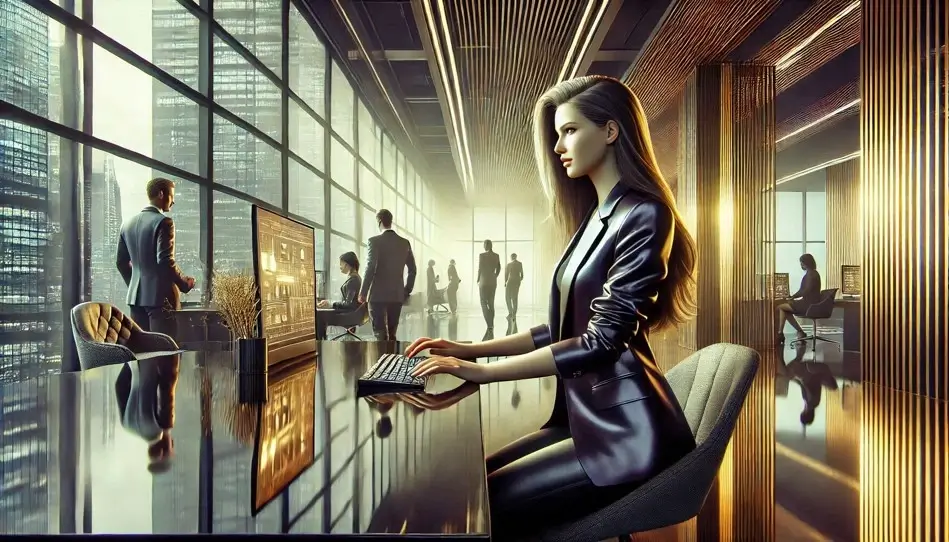
Our verdict: 7/10
ChatGPT image creation
ChatGPT offers two AI images for free per day.
Since ChatGPT now allows you to generate free pictures, we needed to include it in the test. After all, they were the disrupters in AI-generated text and have evolved significantly since they launched, so we had high expectations for their AI image performance.
They did not disappoint. They are on par with Microsoft (we wonder if this is related to their close relationship with Microsoft). However, since they only allow two free pictures per day, compared to Microsoft 15, Microsoft is still our preferred choice.
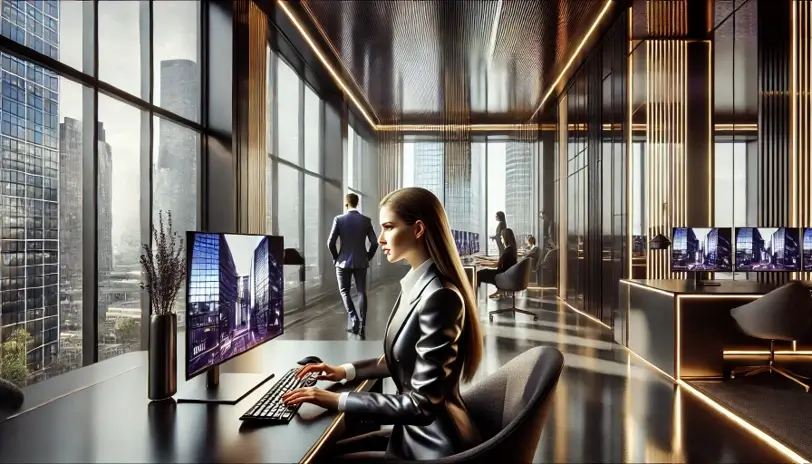
Our verdict: 6/10
Gemini also has a free AI Image creator…
No, we did not forget Google Gemini. As the leader in AI, Google is likely to be one of the dominant players in AI image creation. From October 2024, all Gemini users, including those on the free tier, could generate images using Google’s Imagen 3 model. They allow AI image creation without a specific daily limit.
However, there is a notable restriction: free users cannot generate images of people. To access this feature, you must upgrade to Gemini Advanced, which costs $19.99 monthly.
Even so, when a big player like Google allows free AI images to be generated, it must be tested.
Gemini is technically excellent, but its free AI image creator doesn’t allow pictures of humans.
Since creating AI images of humans is impossible, we decided to modify the prompt. The updated version was tested with Microsoft’s free tool, and the results are detailed below. The prompt we used was:
Create an image in the following colours: dark grey, dark metallic purple and gold. It should look like a glossy, magazine-style image set outside of the significant buildings in London, showcasing an overview of the city. The scene should include a large, futuristic screen displaying data insight as a key part of the image, integrating seamlessly with the urban landscape. The style should blend Romanesque architecture with futuristic elements, featuring intricate, rounded arches and detailed stonework juxtaposed with sleek, modern design. The metallic purple colour should be distinguished and prominent. The gold and metallic purple must appear sharp and vibrant against the darker background. The overall look should be glossy and polished, reflecting a high-quality magazine aesthetic. The scene should evoke a sense of advanced technology while maintaining Romanesque architecture’s grandiosity and intricate beauty. Please make the image in at least 600ppi.
The results from the Free AI image creator from Gemini
Unsurprisingly, Gemini has excellent technical capabilities. You can see the picture is really clear. However, it lacks many details, and the gold colour is not present.
Furthermore, despite several requests, it refused to create the image in horizontal view. Therefore, we couldn’t give Gemini’s free AI image creator a high score because creating images that include people is impossible.
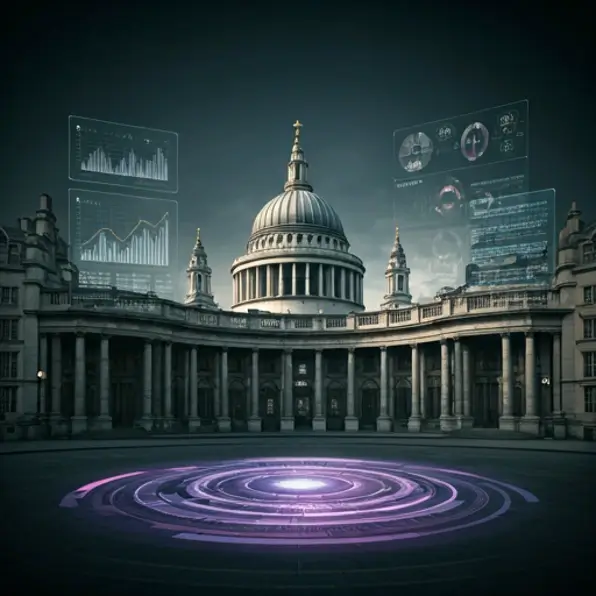
Our verdict: 6/10
The results from Microsoft
The result from Microsoft was considerably more detailed and created an excellent overview of London. Of course, it is easy to see that the picture is inaccurate and imperfect, but with some tweaks, it is a suitable replacement for a decorative picture.
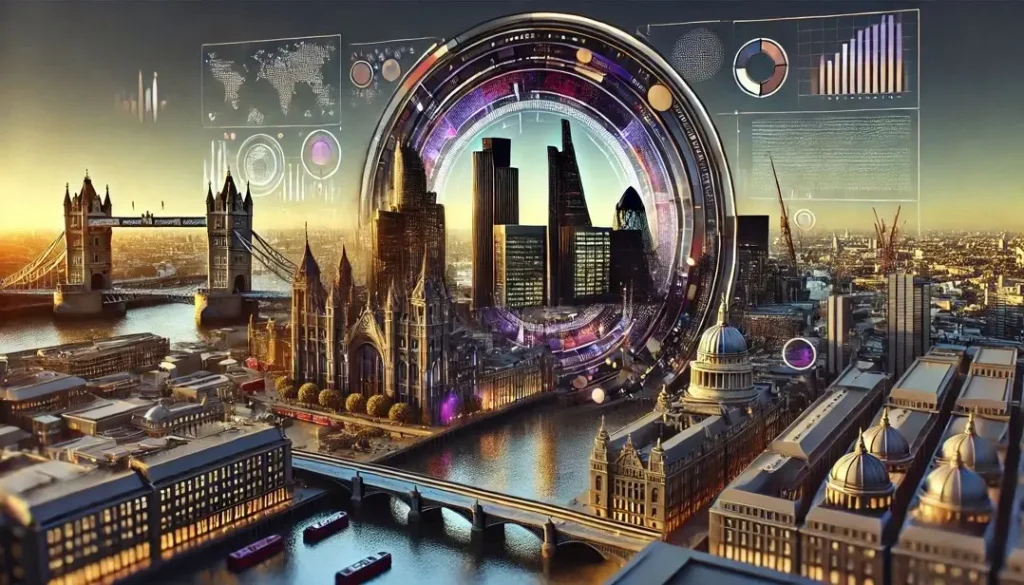
Our verdict: 7/10
AI image creators are evolving….
All the images in this article were created based on the first attempt. However, to get the image you want, you often need to tweak the prompt or try several times with the same prompt.
AI image generation is evolving rapidly, and soon, we will not be able to tell the difference between an AI-generated image and an actual picture. This is already possible with some paid tools.
This means more possibilities for creating unique websites that do not rely on your photography skills or willingness to spend hours searching for free images that align with your brand expression.
However, unlike real photography, the copyright status of AI images remains ambiguous. The law remains behind technical evolution. Therefore, it’s important to factor this in as you build your brand.
0 Comments